- Using Terraform to Provision your Everpure Infrastructure
Using Terraform to Provision your Everpure Infrastructure
There are many things I love about the Everpure Flasharray, but one of my favorite is how easy it is to integrate into different automation solutions. In this blog I will cover how to use Terraform to provision your Everpure Infrastructure. This will be the first post of many that show how easy it is to accomplish the same task using multiple automation methods.
Information on the Everpure Terraform Provider
The official site has information on how to use the plugin, and the GitHub has some information as well.
Installing and Setting up the Terraform Provder
The terraform provider is not currently part of the Terraform Registry but I do have a request to get it added, because of that it must manually be installed on your local machine.
Download the latest version of the provider for either MacOS(Darwin), Linux or Windows
Unzip and Copy the terraform-provider-flash to %APPDATA%\terraform.d\plugins on Windows and ~/.terraform.d/plugins on Linux and MacOS.
Create ~/.terraformrc or %APPDATA%/.terraformrc file and add the following code updating the path to be the location to your plugin file:
providers {
purestorage = "/Users/dstamen/.terraform.d/plugins/terraform-provider-flash"
}
Thats it, you should be ready to run your Everpure Terraform deployment next!
Using Terraform to Provision your Everpure Infrastructure
Below is a sample terraform module that will create a volume, two hosts with an ISCSI iqn and then add the hosts and volume to a hostgroup.
provider "purestorage" {
  username   = pureuser
  password   = mypassword
  target     = flasharray.my.lab
}

resource "purestorage_volume" "vol1" {
  name = "pure-ds-01"
  size = "1048000000"
}

resource "purestorage_host" "host1" {
  name = "esxi01"
  iqn = ["iqn.1998-01.com.vmware:esxi01"]
  personality = "esxi"
}

resource "purestorage_host" "host2" {
  name = "esxi02"
  iqn = ["iqn.1998-01.com.vmware:esxi02"]
  personality = "esxi"
}

resource "purestorage_hostgroup" "hostgroup1" {
  name = "cluster01"
  hosts = ["esxi01","esxi02"]
  volume {
    vol = "pure-ds-01"
    lun = "250"
  }
  depends_on = [purestorage_host.host1,purestorage_host.host2,purestorage_volume.vol1]
}
Running your Terraform Module
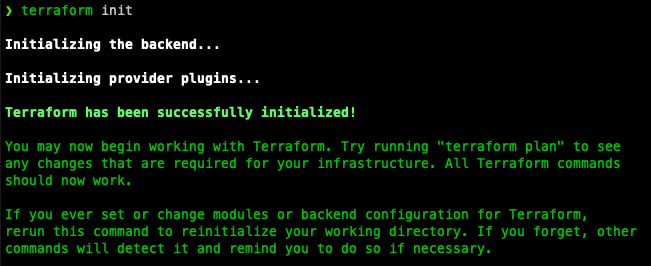
Run terraform init and make sure the provider is configured right and that it can initialize your module.
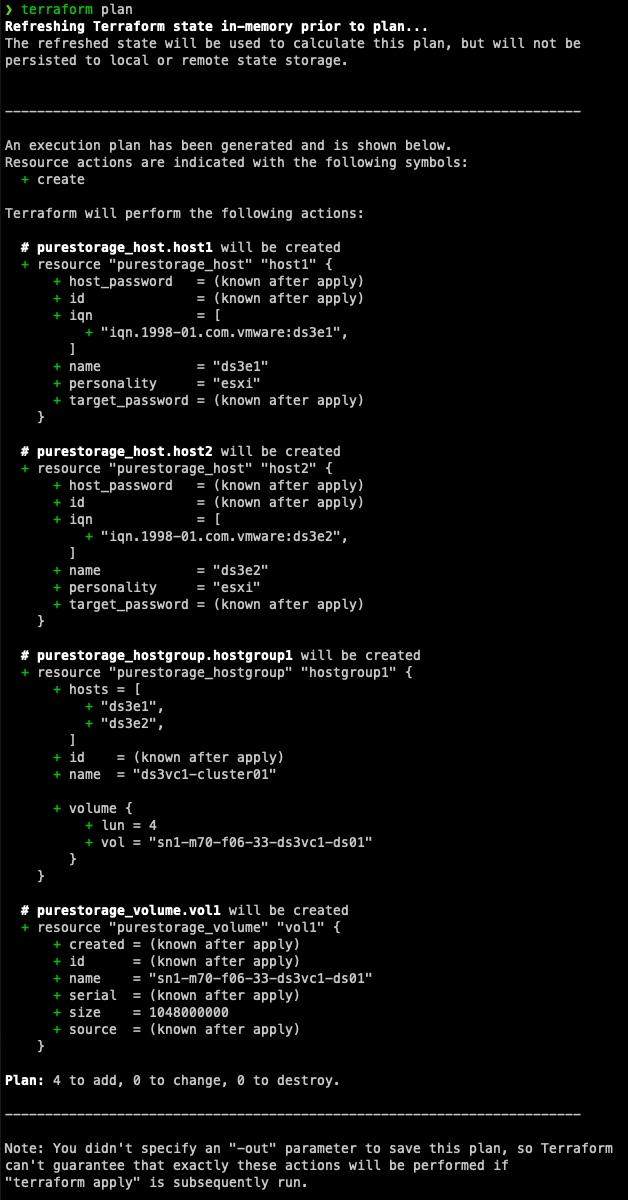
Run terraform plan to see what infrastructure changes will be made.
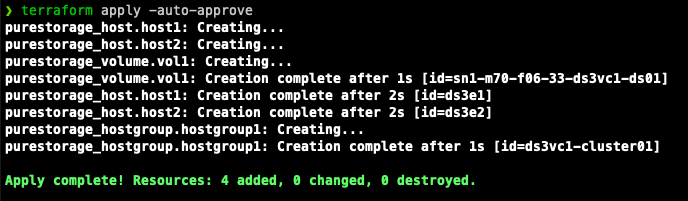
Run terraform apply to provision your Everpure Infrastructure.
Run terraform destroy to destroy your provisioned Everpure Infrastructure.

Closing
Terraform is an extremely powerful tool and im learning more about it all the time. If you are wondering what else you can do with the Everpure Terraform Provider head on over to the resources page to see what resources can be provisioned.
If you have any additional feature requests or problems I recommend raising an issue on the GitHub page.
Any questions or comments? Leave them below.
comments powered by Disqus