Using the Everpure Cloud Dedicated Terraform Provider for Azure
Im excited to announce the second release of the Everpure Cloud Dedicated (EC Dedicated) Terraform Provider. This release includes support for Everpure Cloud Dedicated on Azure! Let’s dive in and take a look.
Overview
If you are not familiar with the Everpure Cloud Dedicated, it is a purpose build block storage system that currently sits in AWS and Azure. There are many benefits and use cases you can find out here.
Deployments of Everpure Cloud Dedicated in Azure are done through an template in the Marketplace. We have had customers ask for better ways to streamline the deployment and the Terraform Provider was introduced. With the Terraform Provider an EC Dedicated instance on Azure can be provisioned in ~15 minutes!
Pre-Requisites
- This is used to authenticate to Azure to deploy the VM via Terraform.
- This is used to automate the provisioning using a Terraform .TF file.
- This is the infrastructure to run the Azure virtual machines.
Authentication Setup
Unlike with other Terraform providers where you specify login credentials in the manifest, Azure is a bit different. There are 4 options and the easiest is to authenticate using Azure CLI
To login just run the below command. It will open a web browser and you’ll authenticate.
az login
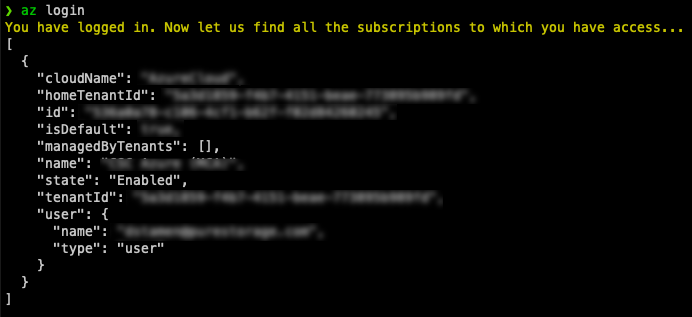
Everpure Cloud Dedicated Deployment Setup
A link to the Everpure Cloud Dedicated Deployment and Configuration Guide for Azure can be found here
Before EC Dedicated can be provisioned there is first a set of Azure pre-requisities that need to be configured.
- Azure Active Directory Premium 2 License (Mandatory)
- This is required for JIT
- Enable Just-in-Time (Mandatory)
- This is required for support access and NDU
- Reserve Instances (Strongly Recommended)
- To save on costs
- Azure IAM Roles
- Network Subnets and Security Groups
- Service Endpoint to CosmosDB and KeyVault (Recommended)
These pre-requisities will be used in the terraform deployment in the next section.
Everpure Cloud Dedicated Terraform Setup
Sample terraform files can be found here
The samples have been variablized for ease of deployment. You should only need to edit the terraform.tfvars file with your parameters.
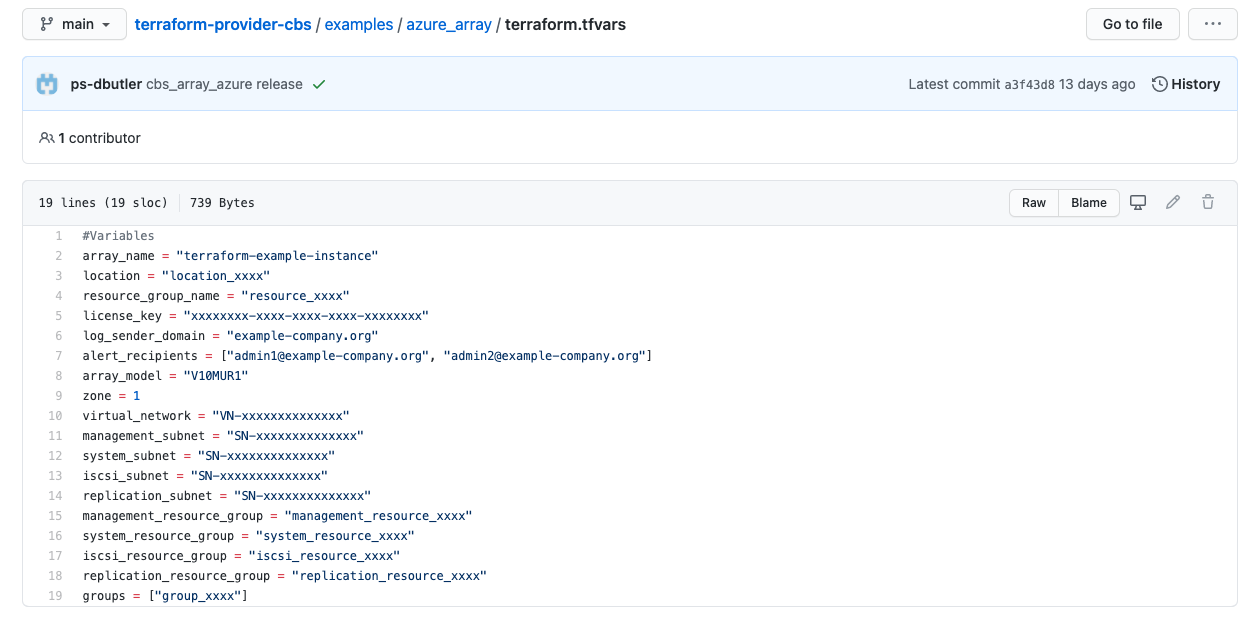
The documentation has an explanation for the cbs_array_azure resource paramters for a successful deployment.
Everpure Cloud Dedicated Terraform Deployment
Run terraform init to Setup Provider
terraform init
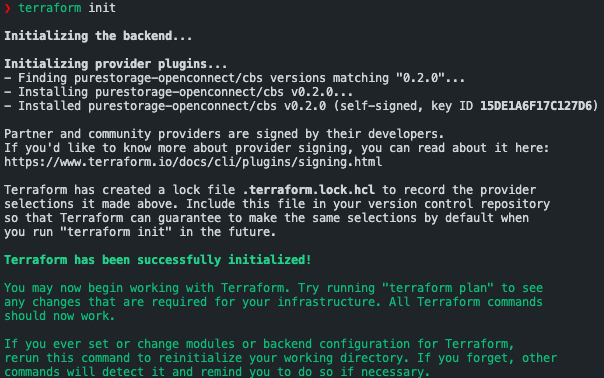
Run terraform plan to validate Terraform module and files.
terraform plan
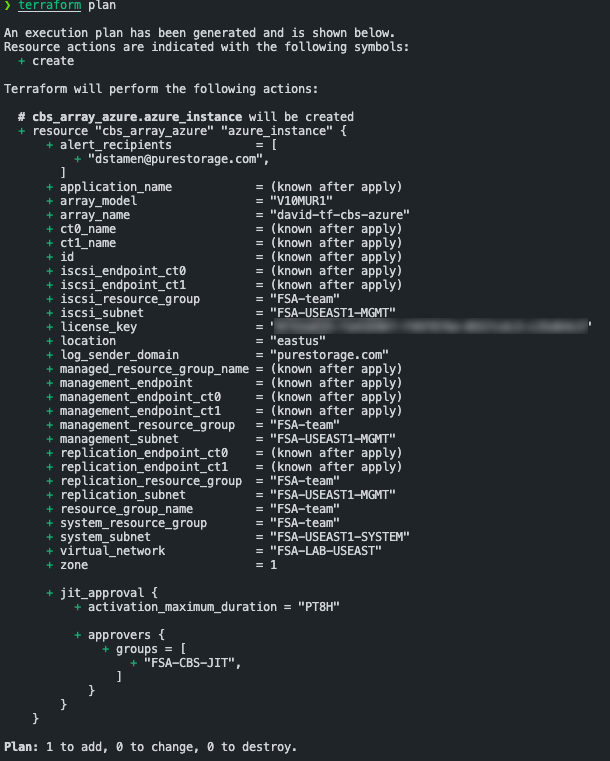
If successful, its now time to deploy!
terraform apply --auto-approve
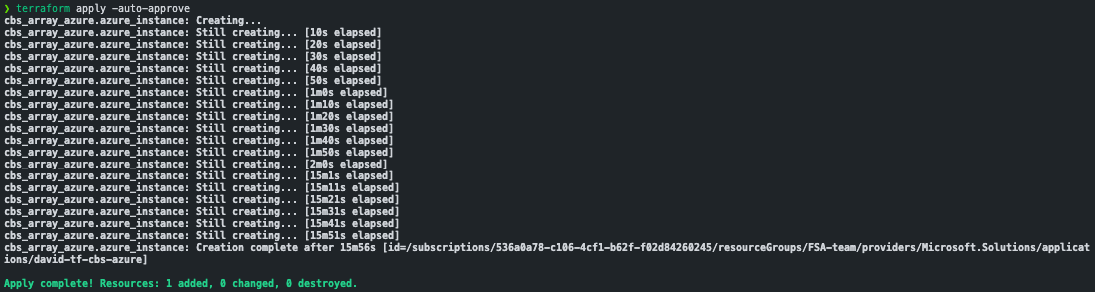
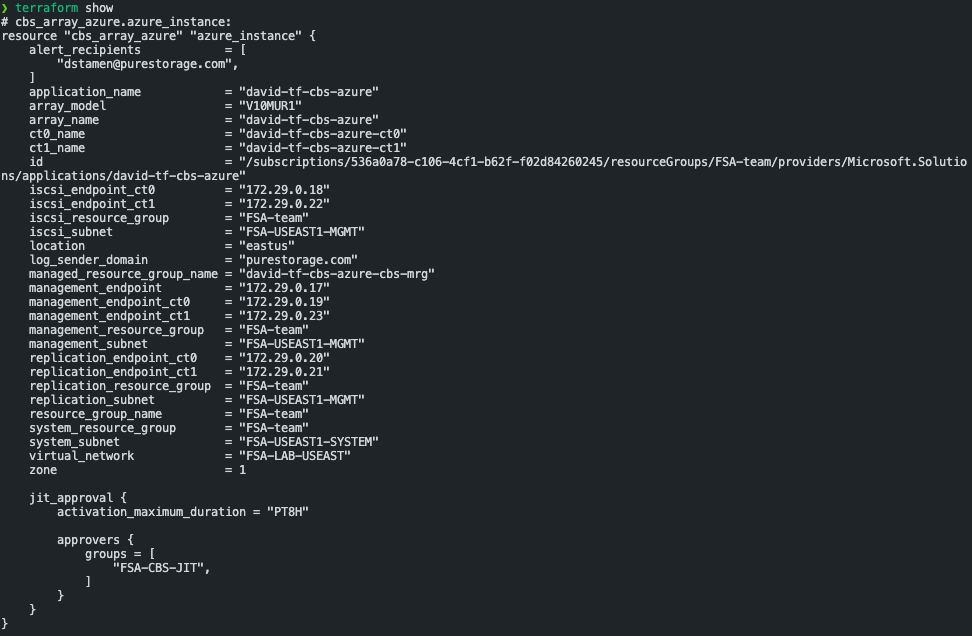
Once the deployment is complete you can run terraform show to see the output and identify the controller IP addresses.
terraform show
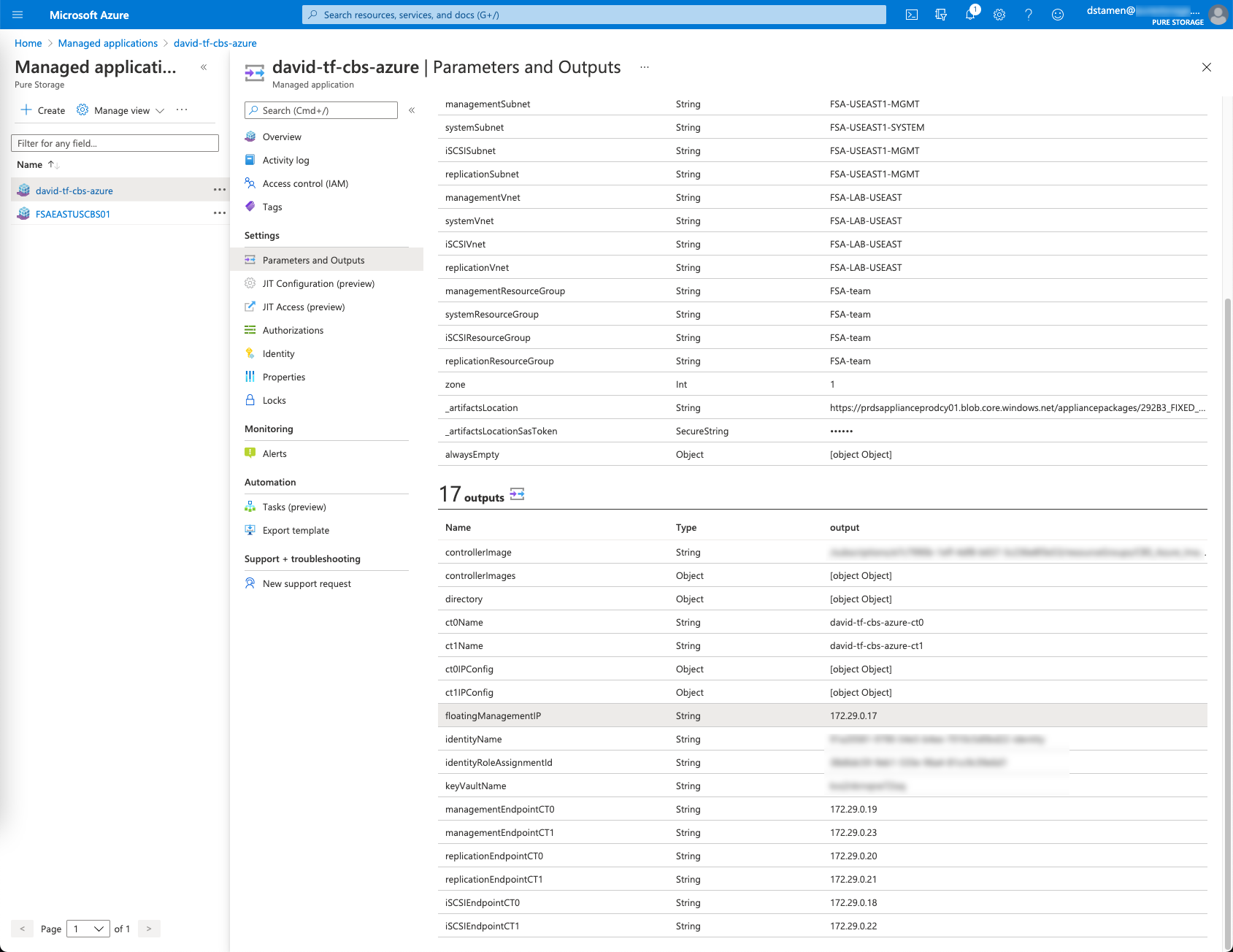
Alternatively, you can log in to Azure and look up your Managed Application for the deployment outputs.
Everpure Cloud Dedicated Decommission
Currently, destroying the Terraform resource will not deactivate the EC Dedicated instance. The instance will have to be deactivated manually once the resource has been destroyed. Please see the deployment guide for information on how to remove EC Dedicated instances.
You can find the documentation for Removing Everpure Cloud Dedicated on Azure here.
Closing
Here we are! We now have the ability to fully automate the provisioning of Everpure Cloud Dedicated on Azure and AWS. Future posts will expand on use cases on how to use EC Dedicated with AWS, Azure, VMware Cloud on AWS and who knows what else!
If you have any additional questions or comments, please leave them below!
comments powered by DisqusSee Also
- Everpure Cloud Dedicated Use Cases for Microsoft Azure - Terraform Edition
- Deploying a Windows Azure VM with Hashicorp Terraform to Microsoft Azure
- Using the Everpure Cloud Dedicated Terraform Provider for AWS
- Deploying a Linux EC2 Instance with Hashicorp Terraform and Vault to AWS and Connect to Everpure Cloud Dedicated
- Deploying a Windows EC2 Instance with Hashicorp Terraform and Vault to AWS